- Hidden Levers AI
- Posts
- 6 Automations (Zaps) Every Creator Needs
6 Automations (Zaps) Every Creator Needs

Mike Cardona
March 21, 2024 • Estimated Reading Time: 4 minutes
Read time: 3 minutes.
Future time saved: 4+ hours/week.
Hey Mike here - your automation alchemist 🧪
One of the most common questions I get is “what do I automate?”
Today, I'll be sharing 6 of the highest time-saving and ROI-generating Zaps every creator should have.
So you can spend your energy cranking out killer content like a well-oiled machine.
Let's begin…
Note: You'll notice I use Airtable in most of these Zaps.
Don't worry if you use another tool.
You can replace it with your tool of choice, like Notion or Sheets, to build the Zap for your liking.
Zap #1: Automatically Generate Google Drive Folders and Docs for New Posts

Before having this automation, my Google Drive was a mess.
“Untitled” docs scattered and time-consuming to organize.
Plus, whenever I wanted to create a new post, I had to manually create folders for every single one.
This Zap takes care of it.
Every time you add a new post idea to your Airtable base, this automation will create a corresponding folder and doc in Google Drive.
It'll even update your Airtable record with links to the new folder and doc.
Benefits:
Saves time on manual folder and doc creation
Keeps your post ideas organized and accessible
Makes it easy to start writing your post right away
How the automation works:

Trigger: Tick a checkbox in Airtable when you're ready to generate the folders
Action: Creates a master folder and 3 sub-folders
Action: Creates a Google Doc from a template
Action: Updates your content database with the folder and Google Docs link for easy access
Zap #2: Generate DALL-E 3 Images for Content

How many times have you used DALL-E to create images but then forgotten which prompt you used? Or search your computer to find the image?
Let this Zap handle it for you.
With this Zap, you can create and manage your DALL-E images right from your content database (such as Airtable or Notion).
Just enter a prompt, and voila - a shiny new image appears in your Google Drive and content database (e.g. Airtable).
Benefits:
Saves time on image creation and sourcing
Compresses your images so your site stays fast
Keeps all your images and prompts organized in one place
How the automation works:

Trigger: Change the status in Airtable to “Generate Images”
Action: Generate an image using DALL-E
Action: Finds a folder in Google Drive (or creates one if it doesn’t exist)
Action: Uploads the image to Google Drive
Action: Updates the record in Airtable with the link to the image
Zap #3: Save Zoom Meeting Uploads to YouTube
Zoom recordings eating up your storage space and your budget? Let this Zap take care of that.
This Zap automatically uploads your Zoom recordings to YouTube as unlisted (private) video.
Benefits:
Saves $480 / yr on Zoom storage costs
Makes recordings easily accessible and shareable
Eliminates the need for manual uploading
How the automation works:

Trigger: New Zoom recordings.
Action: Auto-upload to Google Drive.
Action: Upload to YouTube (Unlisted).
Action: Zapier formats the date.
Action: Add to your database.
Action: Slack notification.
Tip: Set up scheduled Zap (automation) that deletes the recordings from Google Drive so it doesn’t eat up space.
Note: If you’re wondering why not upload it to YouTube directly? Unfortunately, you can't upload Zoom recordings directly to YouTube. So, you can upload it to your Google Drive to bypass this issue.
Zap #4: Automate Weekly/Monthly Check-Ins
Self-reflection is key to staying on track.
But it's easy to let it slip through the cracks.
Not with this Zap in your corner.
You'll get automatic email reminders for your weekly and monthly check-ins.
Each email includes a link to a pre-filled Airtable form.
So you can review your progress in a snap.
Benefits:
Ensures you never miss a check-in
Makes self-reflection a regular habit
Provides an easy way to track your progress over time
How the automation works:

Trigger: Every Sunday at 6 PM
Action: Sends you an email with a link to an Airtable form for weekly reflection submission

Let's switch gears a bit…
These last 4 Zaps are focused on client-related tasks.
Zap #5: Log Client Calls and Send Resources
One of the most common client-related tasks is logging your calls and sending your client resources.
Depending on your biz the type of resources you send can vary and can be time-consuming, especially if you haven’t streamlined it.
You might find yourself writing a new email, attaching the same resources to your email in Gmail, searching for those files on your computer and then logging the call in your CRM.
This automation fixes this issue.
You'll want all your resources in your client database. Then, create a form that logs your client calls.
During a call, make sure to have the form pulled up as this is where you will log details about the call.
How this automations works:

Trigger: Submit the post-call client meeting notes Airtable form
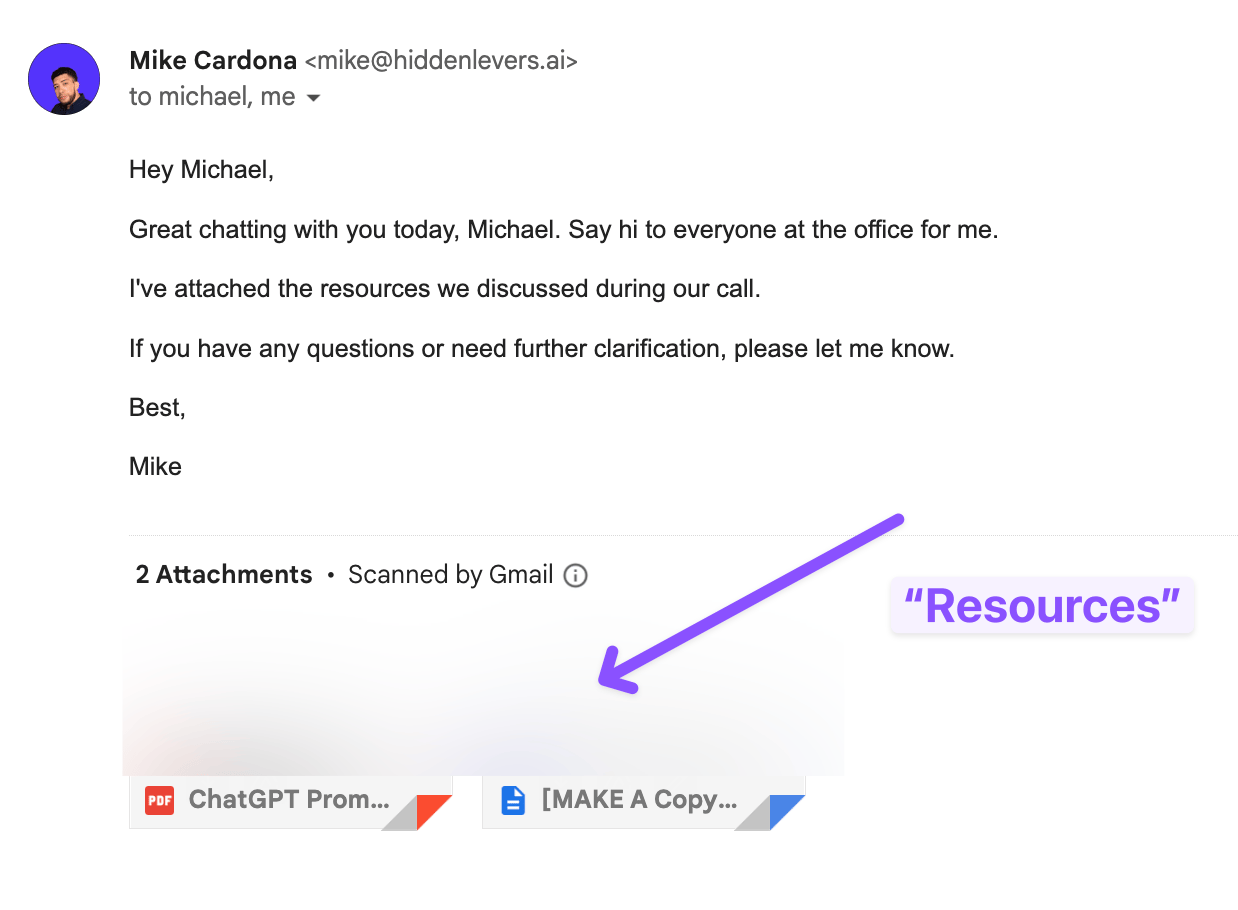
Action: Send email in Gmail
Here is the form to log client calls and select resources to send:

Here is the email we sent to “Michael Scott” with the resources we picked in the GIF above:
Zap #6: Bypass Calendly Plan Limitations for New Appointments

Want to use Calendly Zapier integration without the price tag?
This Zap's got your back.
By using Gmail's "New Email Matching Search" feature, you can automate actions for new Calendly appointments.
Without needing a paid plan.
Benefits:
Saves money on Calendly subscription
Keeps your Google Calendar and CRM in sync
Automates post-booking tasks and communications
There you have it.
6 Zaps that will help you free up your time and mental space.
This allows you to focus on doing more of the things that don't scale, like building relationships.
And the best part?
Each of these Zaps only takes a few minutes to set up.
Try them out and let me know which one was your favorite.
I read and respond to every email.
Mike
ICYMI 📨
Reverse-Engineer Top Content Into Templates: Create content faster.
Collect Feedback and Content Ideas: Get newsletter feedback.
Create Your 90-Day Content Library: Effortlessly generate a wealth of ideas.
Talk soon,
Mike 🧪🔨
As a reader-supported creator, we may earn an affiliate share when you use our links. We only recommend tools that we use and love.
Reply